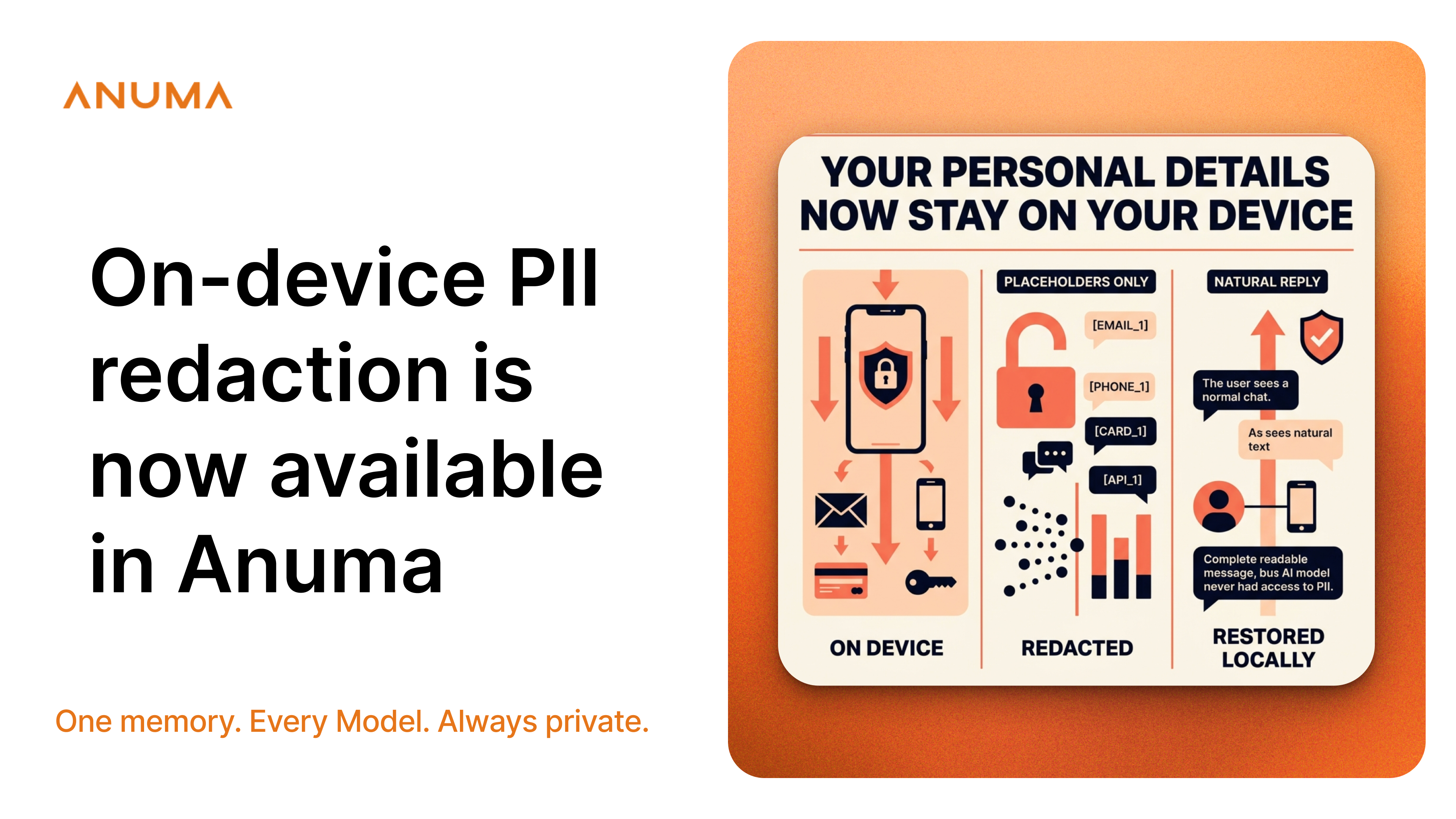
On-device PII redaction is now available in Anuma on iOS, Android, and the web.
Enable it under Settings → Privacy → PII Redaction, and Anuma will scan the messages you type before they leave your device.
Detected email addresses, phone numbers, Social Security numbers, credit card numbers, IP addresses, API keys, US addresses, and dates of birth are replaced with placeholders. Instead of seeing your actual email address, the AI model receives something like [EMAIL_1].
When the response returns, Anuma restores the original values locally. The conversation looks normal to you, but the detected personal details were never included in the prompt sent to the model.
Privacy before your message leaves
Many AI privacy tools focus on protecting data after transmission. They may anonymize requests through a proxy, avoid retaining conversations, or encrypt stored chat history.
Those protections matter, but they address a different part of the data journey.
Anuma’s PII redaction runs directly on your device. For information it successfully detects:
- The sensitive value is removed before the message is sent.
- No redaction server, gateway, or external vault receives it.
- The mapping between each value and its placeholder remains in local device memory.
- The AI model reasons over the placeholder—not the original value.
Redaction is also reversible. When the model uses a placeholder in its response, Anuma replaces it with the corresponding value locally. You get a complete, natural reply without having to manually reinsert your information.
How on-device PII redaction works
Suppose you type:
Email me at john.doe@example.com. My cell is 555-123-4567.
Before the message leaves your device, Anuma transforms it into:
Email me at [EMAIL_1]. My cell is [PHONE_1].
Only that redacted version crosses the network and reaches the model. When the answer comes back, Anuma restores the original details on your device before displaying it.
You never have to work with the placeholders yourself.
At launch, Anuma detects eight categories:
- Email addresses
- Phone numbers
- Social Security numbers
- Credit card numbers
- IP addresses
- API keys
- US Address
- Date of Birth
When information is protected, a brief notification such as “1 email protected” appears in the chat so you can confirm that redaction occurred.
How Anuma differs from other private AI assistants
Privacy-first AI assistants have introduced meaningful protections at other points in the data lifecycle.
Proton Lumo uses zero-access encryption for stored chat history and says it does not retain server-side conversation logs or use chats for model training. Brave Leo keeps chat history on the device, does not retain conversations after processing, and does not log identifying information such as IP addresses. Duck.ai removes personal metadata such as IP addresses before forwarding prompts to model providers. Venice provides several privacy modes, including proxy-based anonymization and E2EE for supported models.
Anuma’s approach addresses a separate risk: personal information written inside the prompt itself.
Removing an IP address from network metadata does not remove an email address, phone number, or API key that appears in the message. With on-device PII redaction enabled, Anuma attempts to remove those detected values before the prompt is transmitted.
That makes PII redaction a complementary layer rather than a replacement for encryption, anonymization, retention controls, or secure storage.
What PII redaction does not cover yet
This first release is designed as best-effort protection for common, structured personal data. It is not a guarantee that every sensitive detail will be detected.
Current limitations include:
- Redaction applies to typed chat messages (not images or file attachments yet).
- Free-form or unusually formatted personal information may not be recognized.
- Phone-number and Social Security number detection is currently optimized for US formats.
- International phone-number formats may pass through undetected.
- Contextual secrets without recognizable patterns may not be identified.
Email, credit card, and IP-address detection are not limited to US formats.
PII redaction should therefore be treated as an additional privacy safeguard—not as a substitute for reviewing highly sensitive information before sharing it.
You remain in control
PII redaction is optional and disabled by default. You decide whether to enable it and can change the setting at any time.
To try it:
- Open Anuma on iOS, Android, or the web.
- Go to Settings → Privacy.
- Turn on PII Redaction.
- Send a message containing a supported type of personal information.
- Look for the protection confirmation in the chat.
On-device PII redaction joins Anuma’s broader privacy stack, including anonymous sign-in, encrypted memory you control and can export, and a commitment not to train models on your data.
Each layer protects a different part of the workflow. Together, they give you more control over what leaves your device, what gets stored, and how your information is used.
Frequently Asked Questions
Does Anuma ever see my real details?
Not for anything the redaction detects. The swap happens on your device before the message is sent, and the map between real values and placeholders never leaves your device. There's no server-side scrubbing step because there's nothing to scrub.
Is it on every plan?
Yes. PII redaction is available on all tiers, and so is the in-chat confirmation. Privacy isn't a paid add-on.
Why is it off by default?
Because Anuma gives you control over your privacy settings. Some people want maximum protection, while others may want the model to see details such as a phone number to format it in an email signature, for example. It’s one toggle, your choice, and the preference is saved on your device.
Does it work in Council Mode?
Not yet, but Council Mode support is in development. We’ll share an update when it becomes available.
Will the AI's answers get worse?
Rarely. The model sees consistent placeholders like [EMAIL_1], so it can still reason about your message ("send a reply to this address") without knowing the address. Your reply reads normally because the real values are restored locally.
What if it misses something?
It can. Detection is pattern-based and strongest for structured, US-format data. Treat it as a safety net, not a guarantee, and keep using your judgment about what you share.
Sources:
https://proton.me/support/lumo-privacy
https://support.brave.app/hc/en-us/articles/20958609786637-How-do-I-use-Brave-Leo
https://duckduckgo.com/duckduckgo-help-pages/duckai/ai-chat-privacy