Images. Audio. Video. Create anything.
Generate stunning images, audio, and videos directly inside Anuma. Your memory and style carry over to every creation.
Image Studio
Generate AI images from photorealistic portraits to abstract art, illustrations, and product mockups. Five image generation models including Flux 1 Dev, Flux 1 Schnell, and Google's Nano Banana family give you options for every use case.
From quick concept sketches to professional 4K assets with accurate text rendering and character consistency across multiple images. Choose from dozens of built-in style presets like Metal, Sketch, Dramatic, Anime, and Doodle, or describe exactly what you want in a prompt.
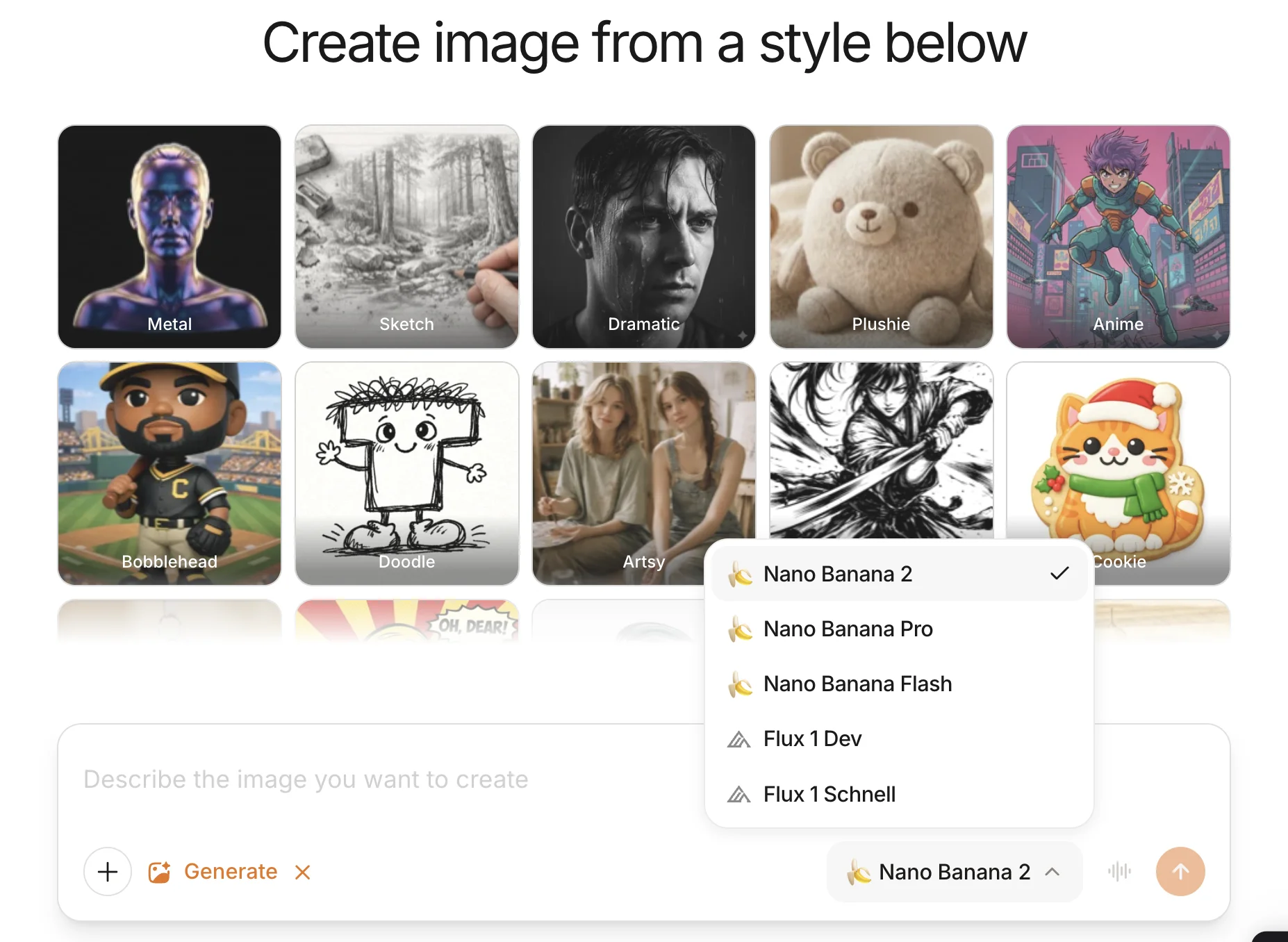
Image models compared
Flux 1 Dev | Flux 1 Schnell | Nano Banana 2 | Nano Banana Pro | Nano Banana Flash | |
|---|---|---|---|---|---|
| Provider | Black Forest Labs | Black Forest Labs | Google | Google | Google |
| Type | Open-source | Open-source | Closed-source | Closed-source | Closed-source |
| Max resolution | 1024 x 1024 | 1024 x 1024 | Up to 4K | Up to 4K | Up to 4K |
| Best for | Prompt accuracy | Quick iterations | General purpose | Professional assets | Speed |
| Speed | Medium | Fast | Medium | Slower | Fastest |
| Text rendering | Basic | Basic | Advanced | Advanced | Good |
| Character consistency | Limited | Limited | Up to 5 characters | Up to 5 characters | Up to 5 characters |
| Cost | Low | Lowest | Medium | High | Low |
| Style presets | No | No | Yes | Yes | Yes |
Video Studio
Create AI-generated videos from a single text prompt — up to 4K resolution at 60fps with synchronized dialogue, sound effects, and ambient audio.
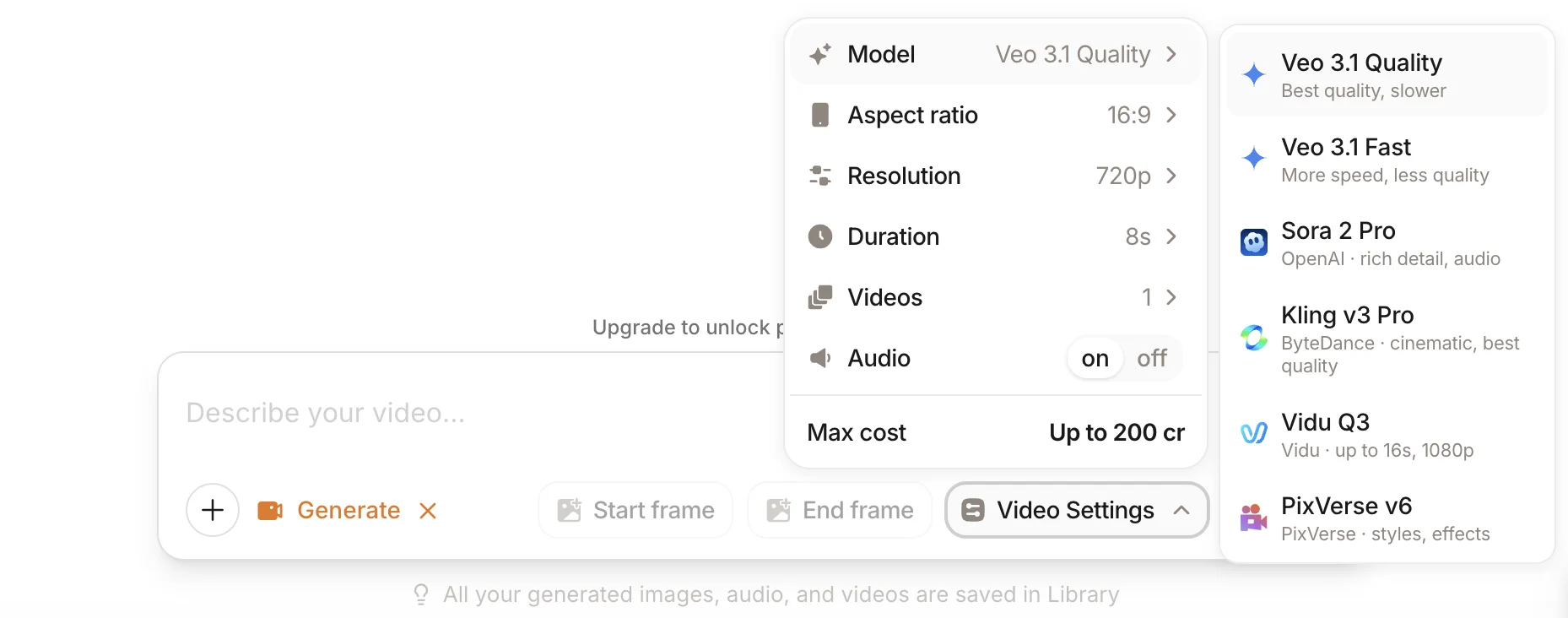
Six video generation models including Google Veo 3.1, OpenAI Sora 2 Pro, Kling v3 Pro, Vidu Q3, and PixVerse v6. Control aspect ratio, resolution, duration, and camera movements. Use start and end frames for precise scene direction.
Whether you need cinematic b-roll, product demos, social media clips, or creative shorts, every leading AI video model is available in one place.
"A golden hour drone shot slowly flying over ocean waves crashing on a rocky coastline"
Video models compared
Veo 3.1 Quality | Veo 3.1 Fast | Sora 2 Pro | Kling v3 Pro | Vidu Q3 | PixVerse v6 | |
|---|---|---|---|---|---|---|
| Provider | Google | Google | OpenAI | ByteDance | Shengshu | PixVerse |
| Max resolution | 4K | 1080p | 1080p | 4K (60fps) | 1080p | 1080p |
| Max duration | 60s | 8s | 25s | 15s | 16s | 15s |
| Native audio | Yes | Yes | Yes | Yes | Yes | Yes |
| Lip-sync | <120ms accuracy | Yes | Yes | Multi-language | Yes | Yes |
| Multi-shot | No | No | No | Yes | No | Yes |
| Best for | Highest fidelity | Speed | Rich detail | Cinematic control | Audio-video sync | Styles & effects |
| Speed | Slow | Fast | Medium | Medium | Medium | Fast |
| Standout feature | 60s coherent scenes | Quick previews | Physics-accurate motion | Motion Brush control | Ranked #2 globally | 20+ lens controls |
| Cost | High | Medium | High | High | Medium | Medium |
Audio Studio
Generate AI music and sound effects from a text description. Create tracks with instrumentals and control style, genre, and tempo — describe the mood you want and get audio back in seconds.
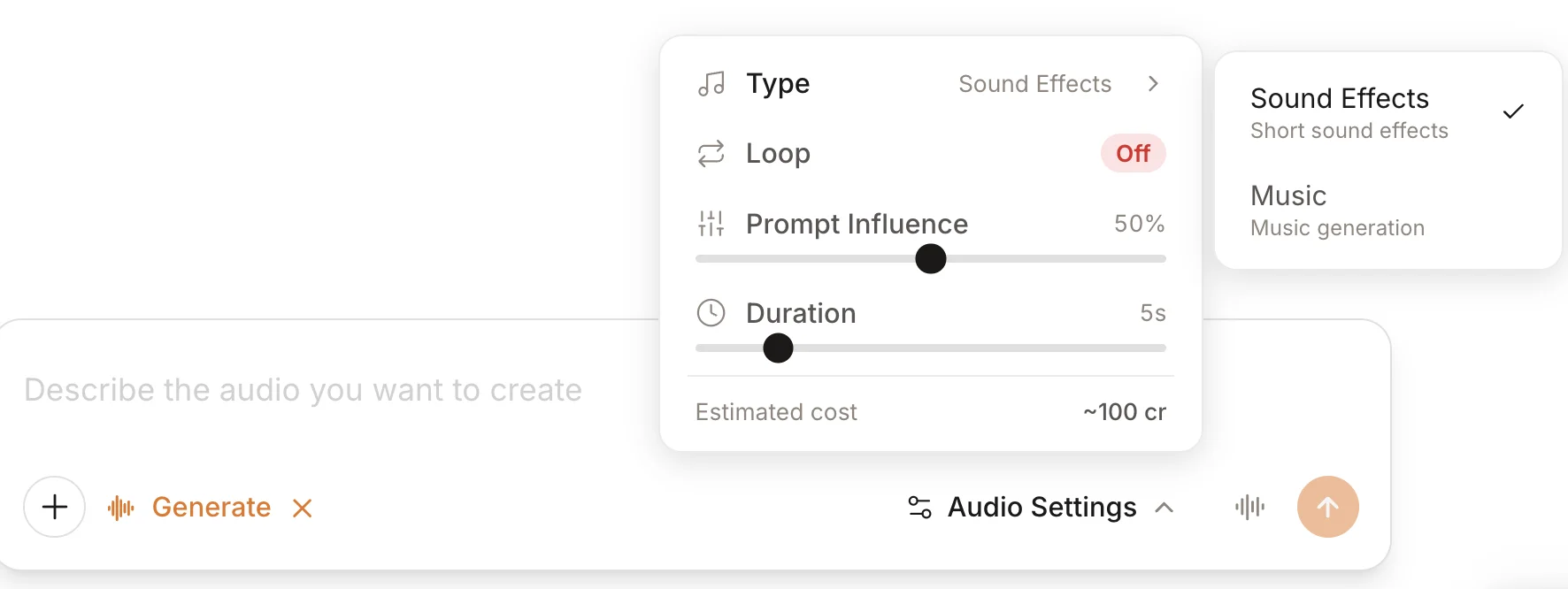
Produce professional sound effects and Foley at 48kHz, from ambient soundscapes to cinematic impacts, with seamless looping for game audio and VR environments.
No separate ElevenLabs or Suno subscription required — music and sound effects are included in your Anuma Creative Studio.
Music Generation
Sample: “A calming, ethereal ambient track”
Describe a mood, genre, or style and get a track back in seconds. Perfect for video creators, podcasters, and content production. No music theory required.
Sound Effects
Sample: “Footstep on sand”
Describe any sound and get professional-quality audio back in seconds. Perfect for video production, game development, and content creation. No stock library digging.
Why create with Anuma?
One subscription, one library
ElevenLabs for sound effects, Suno for music, KlingAI for video, Midjourney for images — each with its own billing and scattered files. Anuma replaces them all with one price and one library for every image, video, and audio clip you create.
Open and closed-source, private by default
Choose from open-source models like Flux (run by third-party providers whose own terms govern retention), or closed-source models like Veo, Sora, and Kling for cutting-edge quality. Generated content is encrypted in transit and at rest and saved to your Anuma Library.
Full control over every generation
Choose your model, set aspect ratio, resolution, and duration. Toggle native audio on or off. One consistent interface across Image, Video, and Audio studios.
AI that remembers your style
Your creative preferences carry across every session. Anuma's memory knows your favorite models, styles, and settings — so you spend less time configuring and more time creating.
One subscription, one library
ElevenLabs for sound effects, Suno for music, KlingAI for video, Midjourney for images — each with its own billing and scattered files. Anuma replaces them all with one price and one library for every image, video, and audio clip you create.
Open and closed-source, private by default
Choose from open-source models like Flux (run by third-party providers whose own terms govern retention), or closed-source models like Veo, Sora, and Kling for cutting-edge quality. Generated content is encrypted in transit and at rest and saved to your Anuma Library.
Full control over every generation
Choose your model, set aspect ratio, resolution, and duration. Toggle native audio on or off. One consistent interface across Image, Video, and Audio studios.
AI that remembers your style
Your creative preferences carry across every session. Anuma's memory knows your favorite models, styles, and settings — so you spend less time configuring and more time creating.