Introduction
AI image generators have moved from novelty to everyday creative infrastructure. Whether you are a seasoned designer, a small business owner, or someone who simply wants to bring an idea to life without hiring an illustrator, an AI image generator handles the heavy lifting. Type a description, hit generate, and watch your concept appear on screen in seconds.
In 2026 there are more choices than ever — each with different strengths, pricing models, and underlying philosophies. This review cuts through the noise.
We evaluated 10 leading AI image generators on ease of use, output quality, and value, ranked them by what they do best, and at the end we look at a different kind of tool entirely: Anuma, which approaches AI-assisted creation from a workspace perspective rather than a single-model perspective.
What is an AI Image Generator?
Definition and functionality
An AI image generator is software that converts a written prompt into a visual. You describe what you want and the model produces an image that matches your description. Most modern tools are powered by diffusion models or transformer-based architectures trained on hundreds of millions of images.
The core process is straightforward: your text is encoded into a numerical representation, the model iteratively refines a field of noise into a coherent image, and you receive the result in seconds.
Types of AI image generators
- Text to image: The foundational architecture. Users input a descriptive text prompt and receive a completely new, synthetic image.
- Image to image: A reference-based pipeline. Users upload an existing image to serve as a base for structural, composition, or stylistic changes while retaining the original context.
Categories of AI image generators
- AI art generators
Core Focus: Expressive, stylized, or painterly outputs. When the goal is an illustrative, abstract, or highly stylized visual, an AI art generator is the right choice. These platforms handle everything from watercolor paintings and comic panels to complex character designs and 3D assets.
- AI photo generators
Core Focus: Photorealistic results, human portraits, and real-world lighting. These tools are engineered to replicate camera physics, lens behavior, and natural textures. They eliminate the typical "glossy AI look" to create convincing, real-world scenes.
- AI picture generators
Core Focus: Speed, simplicity, and rapid social media content. This category refers to lightweight, highly accessible web widgets built for quick, everyday visuals rather than polished, production-heavy assets. Accessibility and template compatibility define this space.
Features to Look for in an AI Image Generator
Ease of use
A good AI image generator should not require a steep learning curve. Look for intuitive interfaces, example prompts, and clear controls for aspect ratio, style, and variation. Tools with style presets let you switch visual direction in one click without rewriting your prompt.
Quality of output
Resolution, sharpness, coherence, and prompt adherence all matter. Run test prompts before committing to a paid plan and check specifically how the tool handles fine detail, human faces, complex scenes, and text rendered inside images. Text accuracy is a persistent weak spot across most generators.
Customization options
- Style controls: choose between photorealistic, illustrated, painterly, or abstract outputs.
- Negative prompts: specify what to exclude from the generated image.
- Image to image input: start from an existing image and refine it.
- Inpainting and outpainting: edit specific regions or extend the canvas.
- Character consistency: keep subjects recognizable across a series of images.
- Commercial licensing: essential if you plan to use images in products or marketing materials.
Benefits of Using AI Image Generators in Creative Work
Time efficiency
A polished visual takes seconds instead of hours, freeing up time for strategy, iteration, and refinement. A lot of the tools are specifically optimized for speed, so quick turnaround does not mean compromising on output quality.
Cost effectiveness
Stock photography licenses and custom illustration commissions add up quickly. AI image generators reduce spend for concept work, internal content, and rapid prototyping. Platforms that bundle multiple tools together, like Anuma, replace what would otherwise require several separate subscriptions.
Expanding creative possibilities
AI image generators let you explore visual directions you might never have considered. Generate ten variations of a concept in the time it would take to describe one to a designer. Use the output as inspiration, a client-facing mockup, or the final asset depending on the context.
Accessibility for non-designers
You do not need Photoshop skills or design training to produce professional-quality visuals. Style presets handle the aesthetic decisions, so you focus on describing what you want rather than learning software.
2026 Top 10 AI Image Generators Review
No single AI image generator is best for every use case. Before comparing tools, identify what matters most for your work.
Here are 10 of the best AI image generators in 2026, each with different strengths depending on your creative workflow, style, and use case. Some prioritize photorealistic output, while others focus on artistic control, speed, branding, or ease of use. Before choosing a tool, think about what matters most for your projects and how you plan to use AI generated visuals.
1. Midjourney - Best for artistic, cinematic, editorial, concept visuals
Midjourney consistently produces the most aesthetically striking images of any tool in this review. While it retains its signature "painterly" and cinematic default quality that makes it the go-to for concept art, editorial illustration, and brand mood boards, recent updates have added stunning photorealistic clarity, native 2K HD rendering, and integrated image-to-video animation.
- Best for: Art direction, concept exploration, cinematic and editorial photography, advanced style matching, and high-impact visual design.
- Free tier: None. Subscriptions start at $10/month.
- Commercial use: Available on all paid plans.
- Weaknesses: No free tier; outputs default to public unless you pay a steep premium for the Pro Plan ($60/month) to unlock "Stealth Mode"; complex, multi-object layouts can still occasionally require re-rolls compared to DALL-E 3.
- Workflow Note: The platform has successfully transitioned away from being Discord-exclusive, now offering a world-class web app featuring canvas editing tools, visual reference managers, and incredibly fast generation speeds.
2. DALL-E 3/GPT Image — Best for conversational creation and fast iteration
DALL-E 3 and OpenAI’s native multimodal engines understand natural language better than almost any other tool. If you describe a complex scene with multiple elements, hyper-specific spatial relationships, or exact text inside the image, it follows your instructions reliably without requiring complex prompt engineering. It is natively integrated into ChatGPT and available via the OpenAI API.
- Best for: Detailed scene composition, graphic design layouts with text, rapid prototyping, and conversational design adjustments.
- Free tier: Limited daily generations available on the free ChatGPT tier; higher limits on paid tiers
- Commercial use: Yes, fully available.
- Weaknesses: Output resolution remains capped at a maximum of 1792 x 1024 (insufficient for high-end print); lacks advanced style and character consistency tools (like seed-locking or image-to-image reference conditioning); older DALL-E 3 generations can still lean toward a glossy, "plasticy" vector style unless explicitly prompted otherwise.
- Workflow Note: OpenAI has transitioned image generation from a separate plugin (DALL-E) to native pixel-generation built directly into their latest models, significantly closing the photorealism gap with competitors.
3. Adobe Firefly — Best for Brand-safe commercial work, Adobe workflow
Firefly remains the ultimate corporate-safe choice because it is trained strictly on licensed Adobe Stock and public domain content, offering full legal indemnification for enterprise tiers. Powered by its latest Image Model 5, it delivers native 4MP resolution and has largely shed its legacy "generic stock photo" look, offering deep control over structure and style matching. It integrates flawlessly across Photoshop, Illustrator, and Premiere Pro workflows.
- Best for: Commercial advertising, brand-compliant assets, rapid versioning, Creative Cloud power users, and multimedia storyboarding.
- Free tier: Yes, includes basic monthly generative credits.
- Commercial use: Yes, with robust legal safety and indemnification on paid plans.
- Weaknesses: While Image Model 5 is highly capable, its native "safe" boundaries mean it won't produce the edgy, avant-garde, or hyper-stylized aesthetics that Midjourney handles effortlessly out of the box.
- Workflow Note: Adobe has turned the Firefly web app into an all-in-one hub called Firefly Boards, an infinite creative canvas where you can generate commercial imagery, video clips, and licensed audio tracks simultaneously, and even toggle between Adobe’s models and partner models like FLUX.2 Pro.
4. FLUX — Best for photorealism, technical control, API workflows
FLUX, developed by Black Forest Labs, stands as the unrivaled king of open-weight image generation. Its latest FLUX.2 architecture expands to a massive 32-billion parameter model, delivering hyper-grounded photorealism, immaculate text rendering, and flawless real-world lighting physics. Because it supports native multi-reference image conditioning (via the Kontext and Dev suites), users can lock in character identity and product consistency across multiple generations without relying on external fine-tuning.
- Best for: Developers, advanced power users, photorealistic visual assets, multi-scene character consistency, and teams demanding deep pipeline control.
- Free tier: Yes, fully free to run locally (via ComfyUI or WebUI Forge) or test on cloud playgrounds like Replicate and Fal.ai.
- Commercial use: Tiered. The distilled Klein model operates under an Apache 2.0 license, while the flagship Dev weights require a direct commercial license from Black Forest Labs for enterprise monetization. Pro and Flex variants are accessible via commercial APIs.
- Weaknesses: Substantial hardware friction for local users; running the unquantized model requires massive amounts of VRAM, though optimized FP8 models drastically lower the barrier for modern RTX GPUs. It lacks a centralized, out-of-the-box UI for casual creators.
5. Ideogram — Best for text in images, posters, logos, social graphics
Ideogram stands as the definitive industry leader in typographic accuracy. Powered by its Ideogram 3.0 core architecture, the tool achieves a near-flawless text rendering accuracy rate across intricate layouts, complex kerning, and varied font combinations. It has successfully evolved beyond simple text mockups into a comprehensive graphic design platform capable of handling crisp vector outputs, photorealistic product placements, and advanced style parsing.
- Best for: Logos, posters, apparel design, social graphics, packaging mockups, and production-ready vector branding.
- Free tier: Yes, includes a basic daily generation allotment (outputs are public and compressed).
- Commercial use: Yes, available across all tiers (including free).
- Weaknesses: Highly advanced canvas editing or complex local pipeline controls (like ControlNet structures) are better served by FLUX or Stable Diffusion; the free tier severely compresses image downloads (to roughly 70% quality JPEGs) and locks generations to the public feed.
- Workflow Note: Ideogram has introduced massive upgrades for professional design pipelines, most notably Native SVG Vector Export and Layerize, which lets you isolate and edit text elements as live, modifiable type layers without re-generating the entire image.
6. Recraft - Best for vector graphics, brand assets and editable design outputs
Recraft AI is one of the strongest additions to the scorecard because it is not just another image generator; it is a design-production platform built around brand consistency, editable assets, and professional export formats. Its biggest differentiator is native SVG vector generation, allowing users to create graphics that can be edited in tools like Figma or Illustrator rather than being locked into flat raster images.
- Best for: Vector graphics, icons, logos, brand systems, packaging mockups, app assets, illustrations, social graphics, and scalable marketing visuals.
- Free tier: Yes, Recraft offers a free entry point with daily credits, though public/private output rules, export options, and usage limits may vary by plan.
- Commercial use: Yes, generally available, but commercial rights and privacy settings should be checked against the specific subscription tier before production use.
- Weaknesses: Less dominant for cinematic photorealism, complex human portraiture, or highly artistic mood-driven images. It is also less flexible than for advanced local pipelines, or full model customization.
- Workflow Note: Recraft is especially valuable for professional design teams because it supports editable design workflows rather than one-off image generation.
7. Stable Diffusion — Best Customization & Fine-Tuning
Stable Diffusion remains the absolute bedrock of highly customized AI pipelines. The flagship 3.5 architecture is open-weight, allowing developers to run it locally with zero telemetry. Stability AI is its cloud-hosted creation hub. Beyond raw image generation, the platform stands out for its comprehensive multimodal suite.
- Best for: Fine-tuning custom art styles, character consistency pipelines, developers building enterprise apps, real-time interactive design, and local power users.
- Free tier: Conditional. The model weights are 100% free to download and run locally on your own hardware (via ComfyUI) under the Community License. However, accessing the models via Stability AI’s cloud services, web applications, or official developer APIs is a paid, credit-based service.
- Commercial use: Stable Diffusion 3.5 features a highly flexible commercial license for small-to-medium businesses and creators.
- Weaknesses: Setup friction for non-technical users to use API. Stability AI operates entirely on a strict credit-per-generation cost structure rather than flat-rate unlimited generation plans, meaning heavy usage or high-resolution upscaling can become expensive very quickly.
8. Google Imagen — Best Photorealism and Lighting
Google Imagen excels at photorealistic rendering with highly accurate lighting, materials, reflections, and spatial depth. It is one of the best AI image generators for creating images that resemble real photography rather than stylized AI art.
The model performs especially well for product mockups, interior scenes, architectural visualizations, lifestyle photography, and portrait style outputs where realism matters more than artistic flair.
- Best for: product photography, interior and architectural renders, portrait style images, realistic marketing assets, accurate lighting and materials.
- Free tier: available through Google AI Studio with limited usage credits.
- Commercial use: supported through Google Cloud Vertex AI.
- Weakness: less flexible for heavily stylized, cinematic, or artistic generations compared to tools like Midjourney.
9. Leonardo AI — Best for game assets, creator workflows and stylized visuals
Leonardo AI is a powerhouse for gaming assets, character illustrations, environment design, stylized visuals, and concept art. Its Unified Canvas gives creators a practical workspace for compositing, inpainting, outpainting, and refining artwork without constantly restarting from scratch.
- Best for: Game assets, character design, concept art, fantasy/sci-fi environments, product mockups, stylized visuals, texture ideas, and creator-led visual development.
- Free tier: Yes, Leonardo offers a free entry tier with a limited daily token/credit allowance.
- Commercial use: Yes, generally supported, but usage rights, private generations, and asset ownership conditions should be checked by plan before using outputs in commercial production.
- Weaknesses: Less beginner-simple because it exposes more creative controls, model choices, style options, and workflow settings. It is also not as dominant for cinematic “wow factor,” nor as open-ended for fully local customization.
- Workflow Note: Leonardo is especially useful when a creator needs to iterate within a consistent visual world.
10. Canva AI — Best for beginner-friendly design, templates and brand workflows
Canva AI is a design-first AI platform, not a pure image model. Its strength is not simply generating one beautiful image; it is helping non-designers produce finished assets quickly inside a complete design environment. Canva AI is one of the easiest tools for turning ideas into usable content.
- Best for: Social posts, presentations, flyers, thumbnails, ads, pitch decks, brand kits, icons, simple logos, posters and fast business design workflows.
- Free tier: Yes, Canva has a free tier with access to selected AI features and templates, though premium templates, brand tools, stock assets, export options, and higher AI usage limits generally require Canva Pro or team plans.
- Commercial use: Yes, broadly supported for most Canva-created designs, but users should review Canva’s terms for specific AI-generated outputs, stock elements, templates, logos, and trademark-sensitive brand work.
- Weaknesses: Canva AI is not the strongest choice for high-end photorealism, advanced image-model control, local/private pipelines, or complex generation workflows.
- Workflow Note: Canva’s biggest advantage is its full production environment. Users can generate images, place them into templates, apply brand kits, resize for different channels, collaborate with teams, and export finished graphics from one interface.
Top 10 AI Image Generators Scorecard
We scored each tool across three dimensions: ease of use, output quality, and value. Scores reflect the tool's performance for a typical creative professional or small team in 2026.
- Ease of use /10: Onboarding, UI clarity, prompt iteration, editing tools, beginner-friendliness
- Output quality /10: Aesthetics, realism, prompt adherence, text rendering, consistency
- Value /10: Price-to-quality ratio, free tier, speed, usage limits, commercial usability
| Tool | Ease of use /10 | Output quality /10 | Value /10 | Notes |
|---|---|---|---|---|
| Midjourney | 8.0 | 9.2 | 8.2 | One of the strongest for aesthetics and style. Lower score on value for no free tier and prompt control/text can vary. |
| GPT Image | 9.5 | 8.8 | 8.9 | Best for non-designers. Users can refine images naturally through chat. |
| Adobe Firefly | 9.0 | 8.2 | 8.3 | Very strong for enterprise/design teams because of Adobe integration and commercial-safety positioning. Pure image quality is good, but not always top-tier. |
| FLUX | 7.8 | 9.0 | 9.0 | Excellent quality and flexible access through APIs or open-weight variants; ease depends on whether you use a hosted app or local setup. |
| Ideogram | 8.8 | 9.2 | 8.8 | One of the best choices when the image must contain readable text. Style range is narrower than Midjourney. |
| Recraft | 8.8 | 8.9 | 8.8 | It is particularly strong for users who care less about “beautiful AI art” and more about usable, editable, production-ready design assets. |
| Stable Diffusion | 6.5 | 8.8 | 8.6 | Great value and control for technical users. Ease of use is lower due to setup, model management, hardware, and workflow complexity. |
| Google Imagen | 8.8 | 9.2 | 9.1 | Top-tier for realism, prompt adherence, and strong all-around output quality. |
| Leonardo AI | 8.5 | 8.9 | 8.7 | Strong creator-focused image tool with good presets, editing, custom model options, and game/asset-generation appeal. |
| Canva AI | 9.0 | 7.8 | 8.2 | Best for non-designers. Image quality is good, but its main strength is end-to-end design workflow rather than pure generation quality. |
Future Trends in AI Image Generation
The rise of AI art and design as a profession
Prompt engineering and AI art direction are becoming recognized creative skills. Brands are hiring for these roles, and platforms are emerging to support professional workflows including fine-tuning, brand kit consistency, and output licensing for commercial use.
Integration with GPT builders for enhanced creativity
GPT builder tools are enabling teams to create custom AI assistants that combine text generation with image creation in a single workflow. A GPT builder can generate a product description and a matching image simultaneously, reducing friction for content teams producing high volumes of material. Platforms that combine memory, multiple models, and generation in one interface are best positioned to support these integrated workflows.
Memory-aware creation
The next wave of AI creative tools will be context-aware by default. Rather than starting fresh each session, tools will know your brand, your history, and your preferences.
Real-time and interactive generation
Emerging tools allow you to see the image update live as you type, making creation more conversational and exploratory rather than a submit-and-wait loop. Expect this to become standard across premium tiers in 2026 and 2027.
Multimodal creative platforms
The boundary between image, video, audio, and 3D generation is blurring. Tools that once focused on one output type are adding adjacent capabilities, and unified creative platforms are expected to become the norm. Anuma already operates in this direction, offering Image Studio, Video Studio, and Audio Studio under one subscription.
The bottom line: AI image generation is not replacing human creativity. It is expanding what a single person or small team can explore and produce. The tools gaining the most traction are those that slot naturally into existing workflows rather than demanding you learn a new one from scratch.
Spotlight: Anuma Image Studio
Anuma Image Studio is a standout example of what the next generation of AI image generators looks like. Rather than offering a single model, it gives you five image generation engines in one place: Flux 1 Dev, Flux 1 Schnell, Nano Banana 2, Nano Banana Pro, and Nano Banana Flash. Each is optimized for a different use case, so you pick the right tool for the job instead of making one model do everything.
What makes Anuma different is that the Image Studio lives inside a full AI creation platform. You are not switching between tabs or subscriptions. The same memory that tracks your creative preferences, favorite models, and style choices carries across every image, video, and audio session.
Rather than competing on artistic quality or photorealism, Anuma focuses on the workflow around creation: persistent memory, multi-model access, privacy controls, and a connected suite that extends beyond images into documents, audio, video, and chat. For creators working on ongoing projects with recurring brand guidelines and evolving context, that is a meaningfully different value proposition.
Five image models, one interface
Rather than locking you into a single model ecosystem, Anuma lets you switch between multiple AI models within one workflow. The Image Studio includes Flux 1 Dev, Flux 1 Schnell, Nano Banana 2, Nano Banana Pro, and Nano Banana Flash, each optimized for a different balance of speed, quality, and style.
| Model | Provider | Max Resolution | Best for | Text Rendering |
|---|---|---|---|---|
| Flux 1 Dev | Black Forest Labs | 1024 x 1024 | Prompt accuracy | Basic |
| Flux 1 Schnell | Black Forest Labs | 1024 x 1024 | Quick iterations | Basic |
| Nano Banana 2 | Up to 4K | General purpose | Advanced | |
| Nano Banana Pro | Up to 4K | Professional assets | Advanced | |
| Nano Banana Flash | Up to 4K | Speed | Good |
Built-in style presets
Anuma Image Studio ships with dozens of built-in style presets so you can switch aesthetics in one click: Metal, Sketch, Dramatic, Anime, Doodle, and more. The Google Nano Banana family supports all presets, which is a significant time saver for teams producing varied content at scale.
Character consistency across images
One of the harder problems in AI image generation is keeping the same character recognizable across multiple images. The three Nano Banana models support up to five character subjects in a single generation run, making Anuma Image Studio practical for brand mascots, illustrated stories, and multi-image campaigns.
Privacy by design
Anuma uses open-source models like Flux with zero data retention as the default. Closed-source models are available for higher quality output, with all generated content encrypted and stored on your device. For businesses handling sensitive visual work, this is a meaningful difference from platforms that store outputs on shared servers.
"One subscription, one library." No design skills required to get started.
Conclusion
AI image generators have shifted from novelty to everyday utility in a short time. Whether you need a photorealistic product shot, a stylized illustration, a quick social media visual, or a short animated clip, there is a tool built for that job in 2026.
Start with a free tier, test your most common use cases, and upgrade only when the limits become a constraint. The technology is advancing quickly, and the tools worth a free trial today may be dramatically more capable in six months.
Frequently Asked Questions
How do AI image generators work?
Most modern AI image generators use a technique called diffusion. The model starts with random noise and gradually refines it into a coherent image guided by your text prompt. Your text is converted into a numerical representation that steers the image toward the described content, style, and composition.
Are there free versions of AI image generators?
Yes. Most major platforms offer a free tier. Anuma Image Studio, Leonardo.Ai, and Canva AI include free image generation credits. Free tiers typically limit the number of images per day, restrict resolution options, or apply a watermark to downloads.
What can I create with an AI image generator?
The range is broad: product mockups, social media graphics, blog illustrations, concept art, portraits, backgrounds, logos, book covers, advertising visuals, moodboards, illustrated stories, and more.
Do I need design skills to use an AI art generator?
No design skills are required to get started. Being able to describe what you want clearly helps, but most tools include style presets and prompt assist features that make it easy for beginners to produce strong results.
How do AI photo generators differ from traditional tools?
Traditional photo tools like Photoshop require an existing image to work from. An AI photo generator creates an image from scratch based on your description. The two tools are increasingly complementary: generate a base image with AI using a tool like Anuma or Adobe Firefly, then refine it in a traditional editor.
What makes Anuma different from other AI image generators?
Anuma is not primarily an image generator. It is an AI creative workspace. The key differences are persistent memory (brand guidelines and project context carry across sessions), multi-model access (switch between five image models in one interface), privacy-first architecture (zero data retention by default on open-source models), and a broader creative suite that includes document generation, video, audio, and AI agents alongside image creation.
Appendix
Prompt Quality Makes All the Difference
Most people type a few words and wonder why the result looks generic. The truth is that AI image generators are only as good as the instructions you give them. A vague prompt gets a vague image. A detailed, well-structured prompt gets something you can actually use.
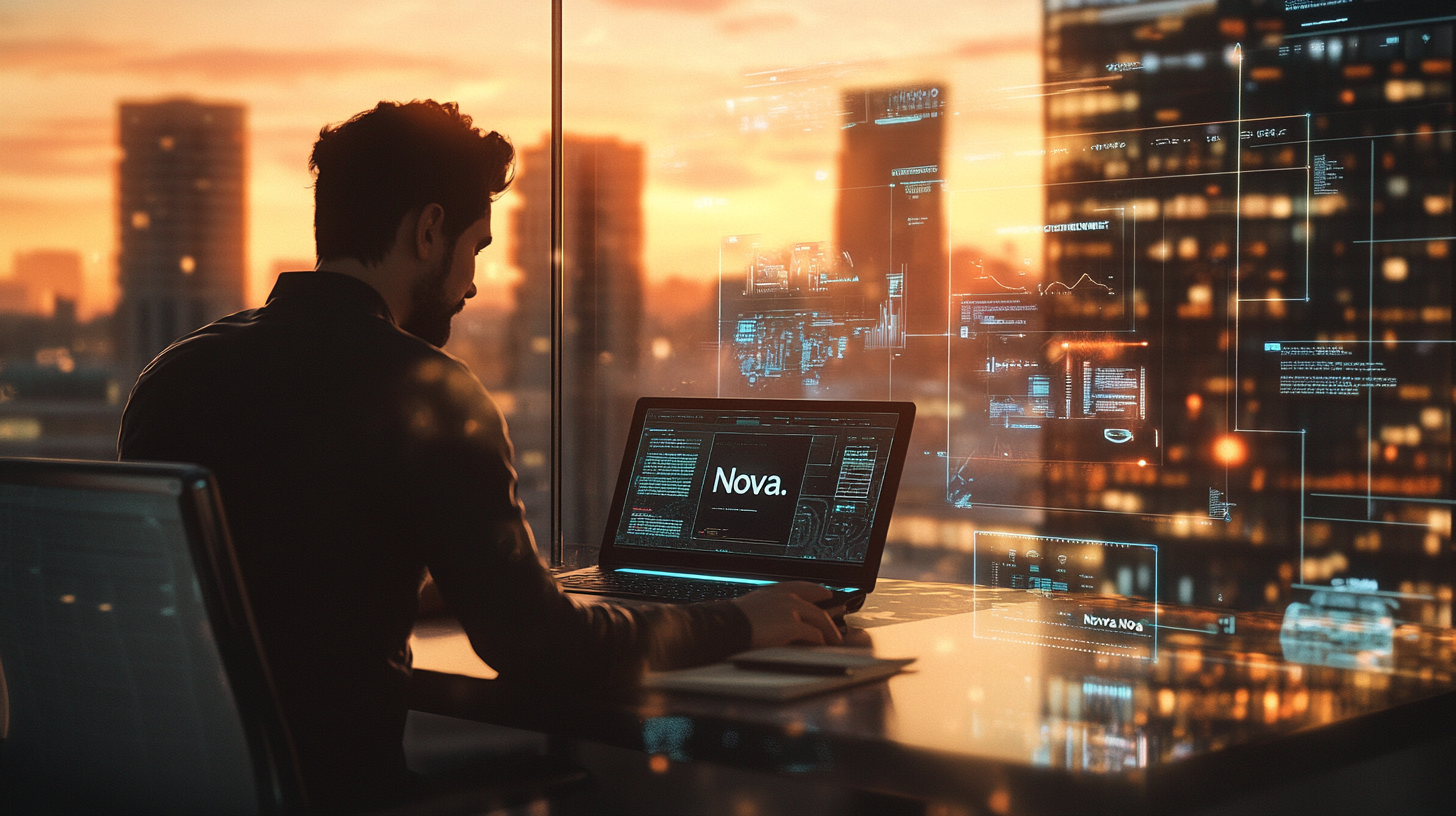
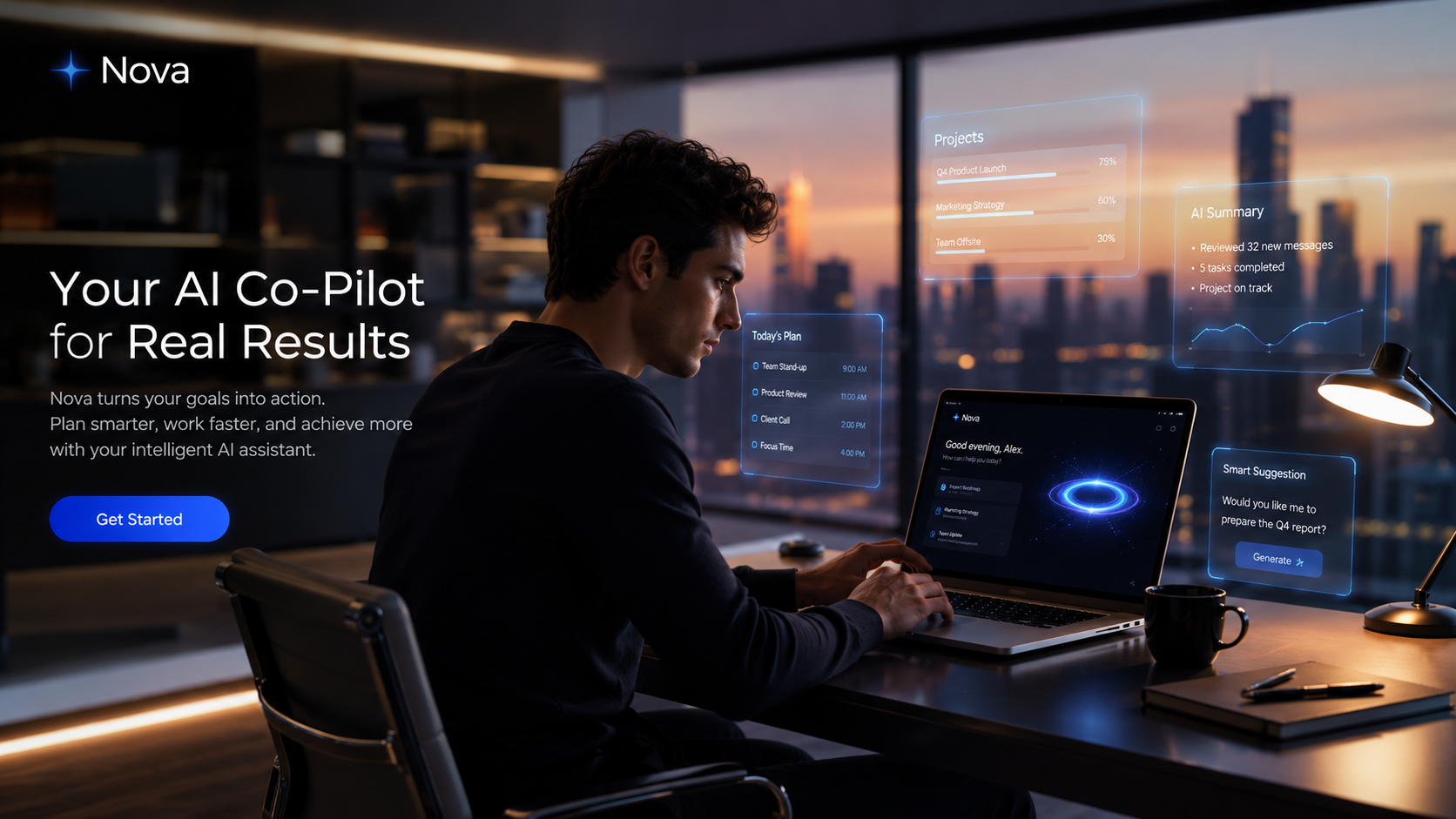
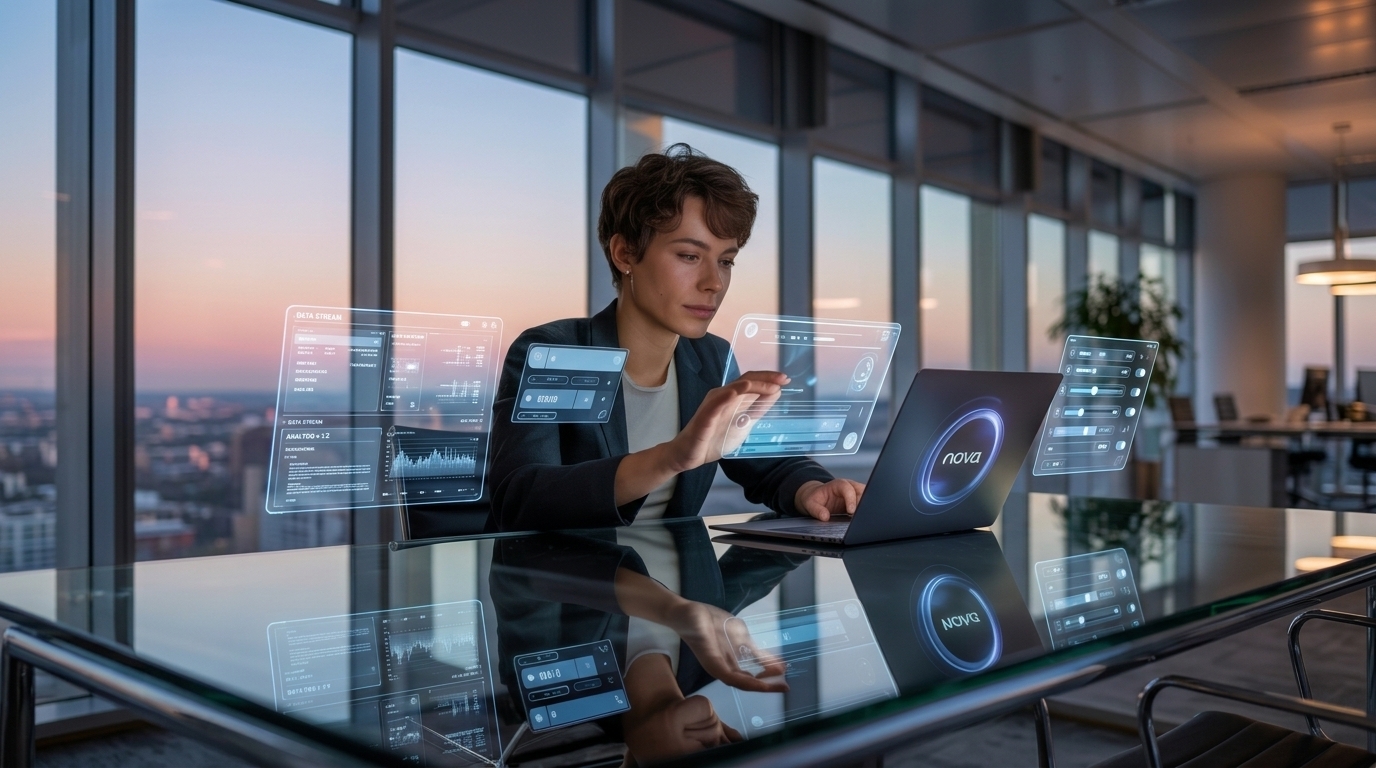
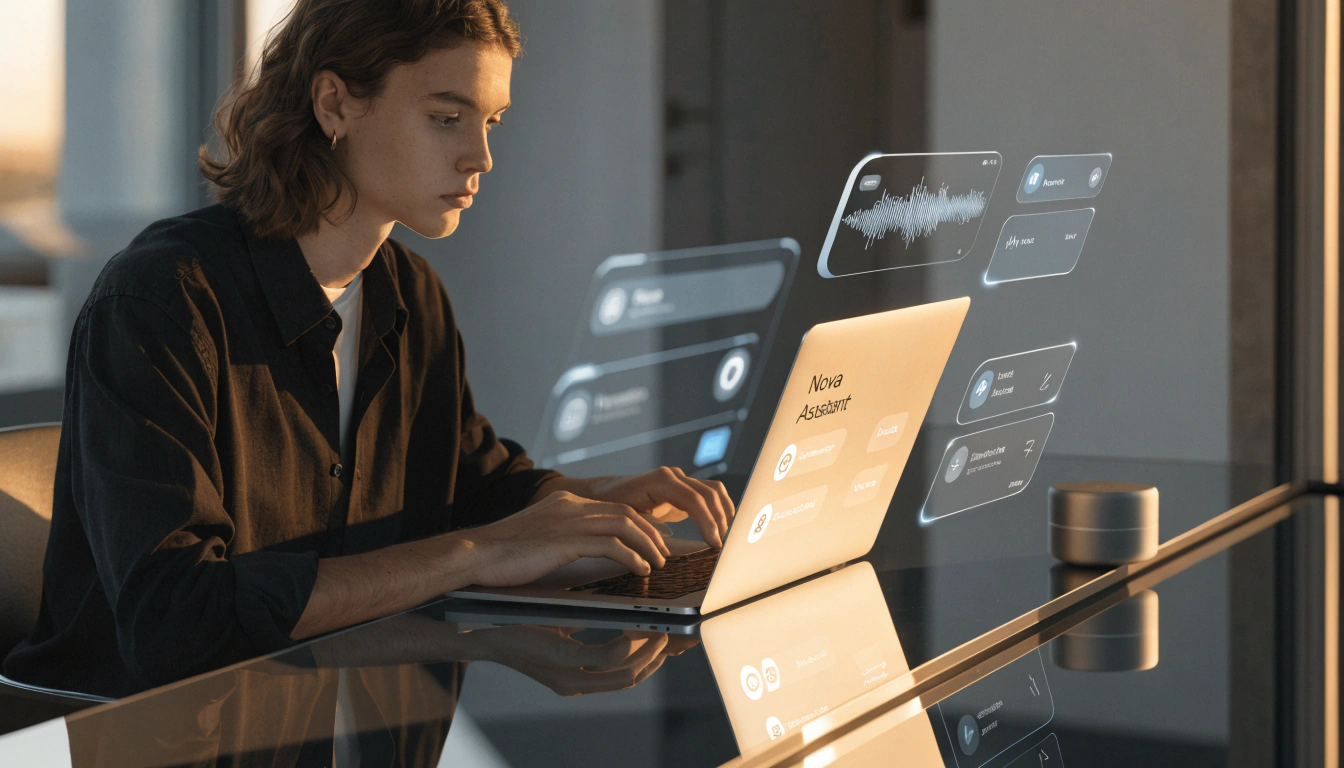
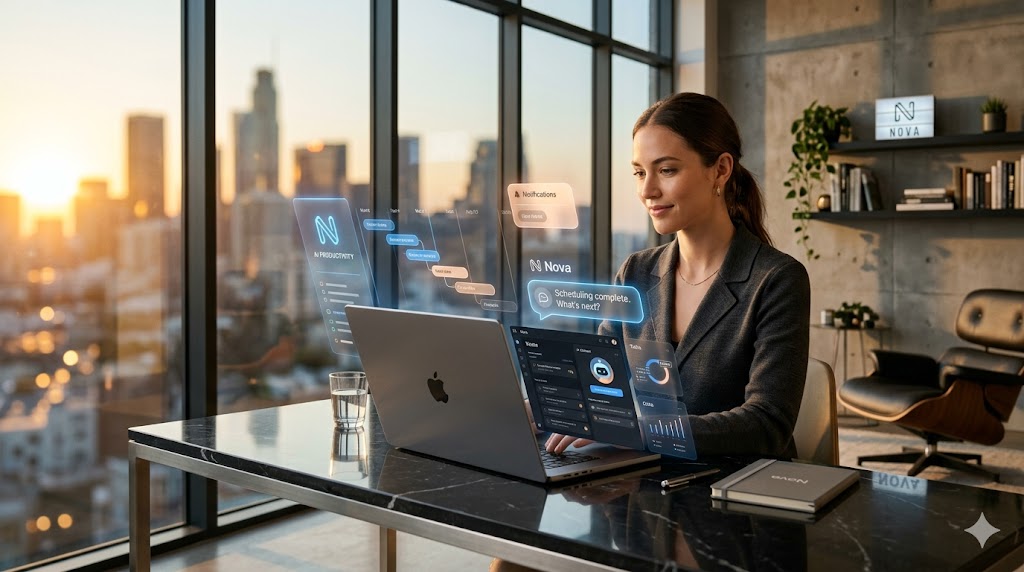
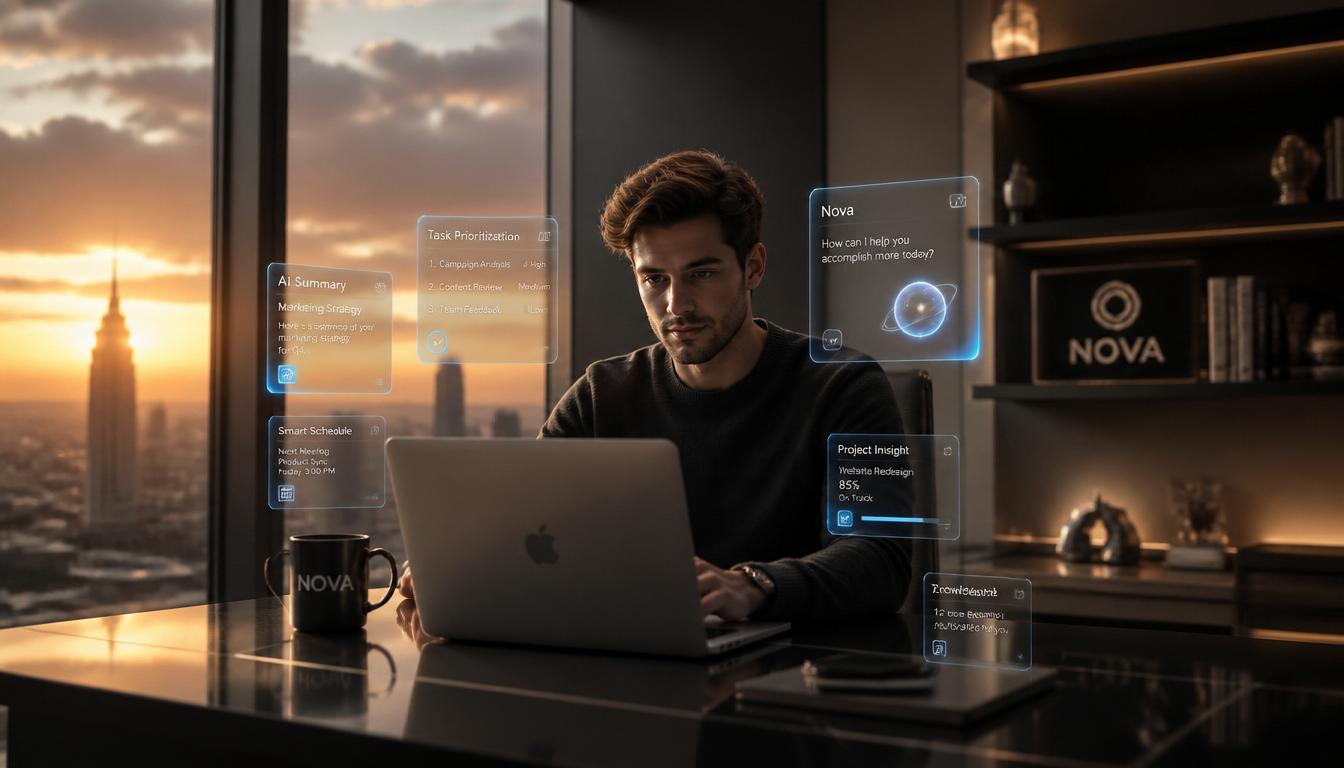
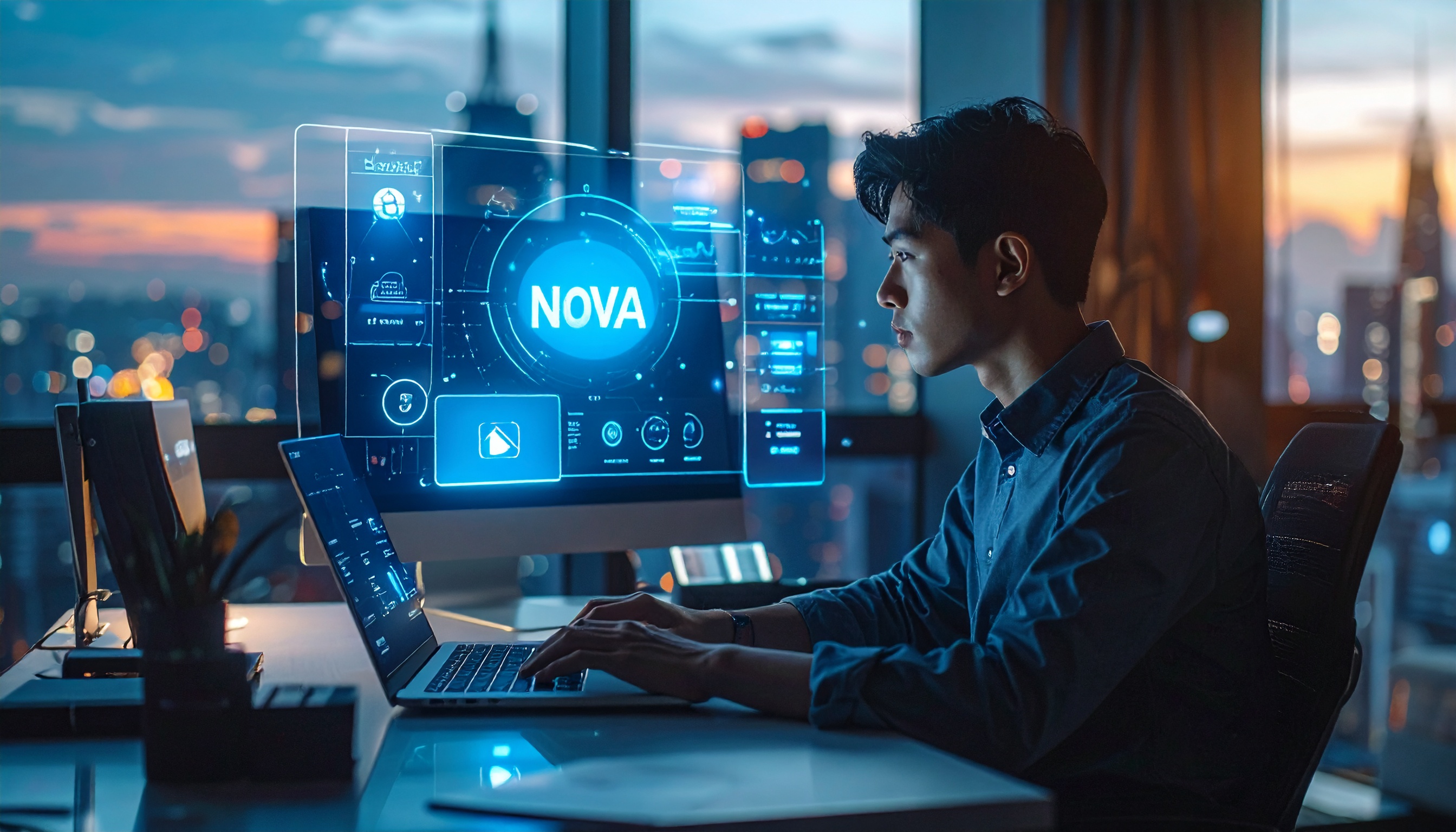
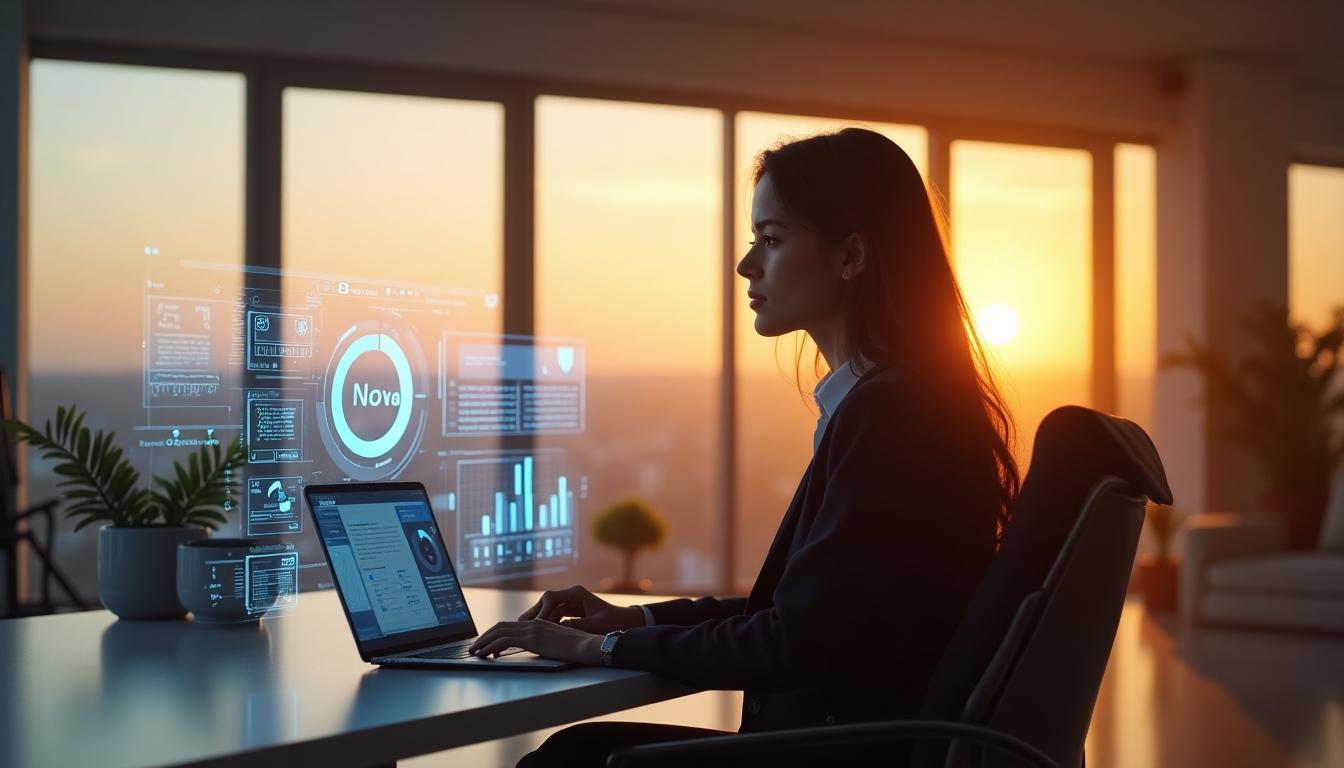
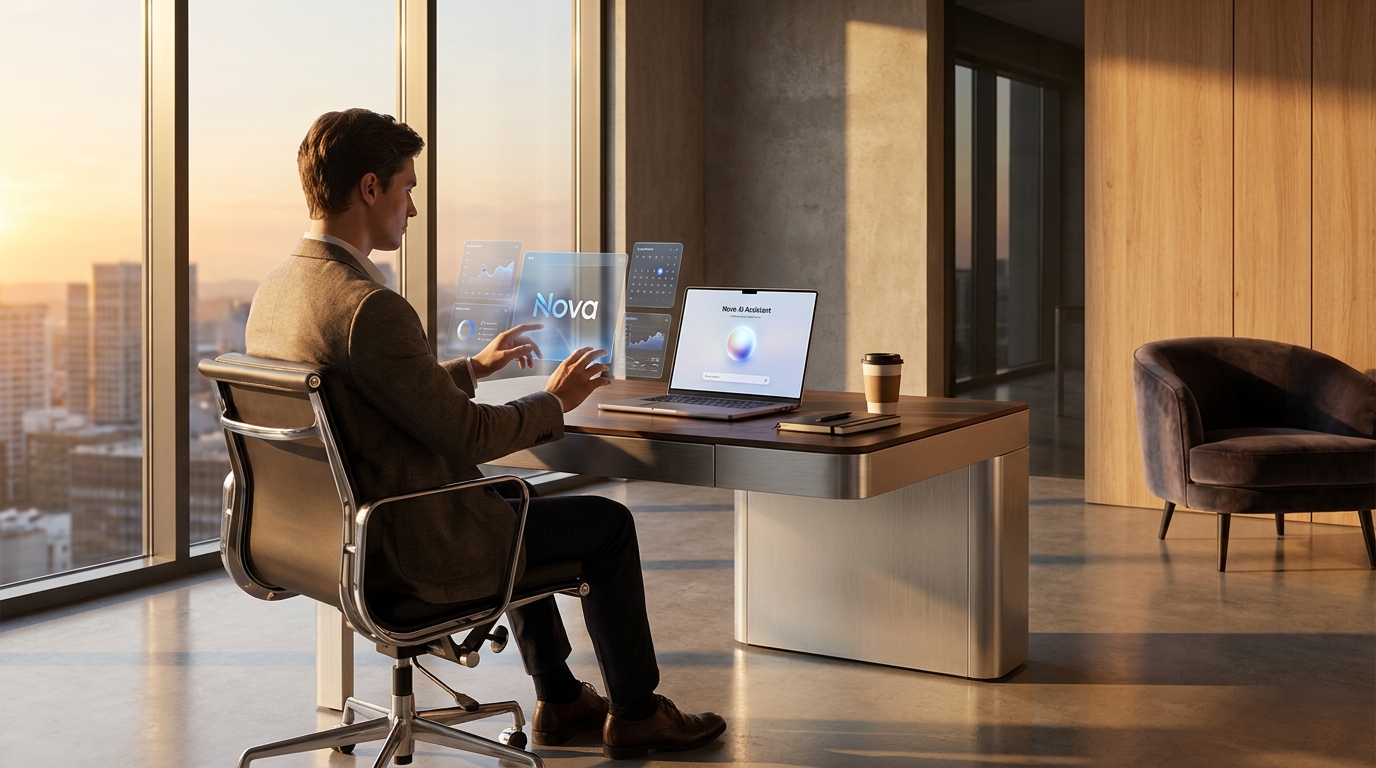
This section shows exactly what that looks like in practice, using the same prompt across multiple providers. The prompt below was used to generate a set of sample images. Which one is your favorite?
The sample prompt
Before running any generation, the prompt was written with specificity in mind: scene, mood, lighting, subject, style, and technical constraints all named explicitly. That level of detail is what separates a hero image from a placeholder.
Create a premium lifestyle advertisement for a futuristic AI productivity app called "Nova."
Scene: A modern workspace at sunset with warm cinematic lighting. A young professional is working at a sleek desk with transparent holographic UI elements floating around them. The environment should feel minimalist, elegant, and high end.
Include:
- Realistic human proportions and natural facial expression
- Detailed lighting and reflections
- Modern interior design aesthetic
- A laptop displaying an AI assistant interface
- Subtle branding with the word "Nova"
- Depth of field and professional advertising photography style
- Colors that feel modern and premium (soft blacks, silver, blue glow accents)
Style: Photorealistic, cinematic, ultra detailed, suitable for a SaaS homepage hero image.
Aspect ratio: 16:9

Write better prompts with Anuma's prompt library
Browse hundreds of structured prompts for image generation, writing, code, and more at: https://www.anuma.ai/ai-prompt.
Free to use with any AI tool or generator.