Anuma
What you can do
ChatCreateBuildSolve
Core Features
Council ModePortable ContextUnified MemoryMultiple AI ModelsPrivate AI
Work & Career
ProfessionalsDevelopersEntrepreneursJob SeekersFreelancersSmall Business OwnersParents
Wellness & Health
Health & FitnessMental WellnessFood & Nutrition
Students & Learning
StudentsResearchersLanguage LearnersTeachers & Educators
Creative & Content
WritersDesignersContent CreatorsMusicians
Finance & Legal
Personal FinanceLegal & ContractsInvestment ClubsReal Estate
AboutCareersBrandingContact UsAffiliate
Help CenterWhat's NewBlogResearchFAQAI Prompt LibraryHow Memory WorksOpen-Source LLMsClosed-Source LLMsPrivate by Default
Pricing
Get the appTry Anuma
Anuma
What you can do
ChatCreateBuildSolve
Core Features
Council ModePortable ContextUnified MemoryMultiple AI ModelsPrivate AI
Work & Career
ProfessionalsDevelopersEntrepreneursJob SeekersFreelancersSmall Business OwnersParents
Wellness & Health
Health & FitnessMental WellnessFood & Nutrition
Students & Learning
StudentsResearchersLanguage LearnersTeachers & Educators
Creative & Content
WritersDesignersContent CreatorsMusicians
Finance & Legal
Personal FinanceLegal & ContractsInvestment ClubsReal Estate
AboutCareersBrandingContact UsAffiliate
Help CenterWhat's NewBlogResearchFAQAI Prompt LibraryHow Memory WorksOpen-Source LLMsClosed-Source LLMsPrivate by Default
Pricing
Get the appTry Anuma
Back to What's new

Sharing goes everywhere

July 20, 2026·1 min readNewMobileMemory
Sharing goes everywhere

This week Anuma became a lot more shareable — and a lot harder to interrupt.

Publish from any chat

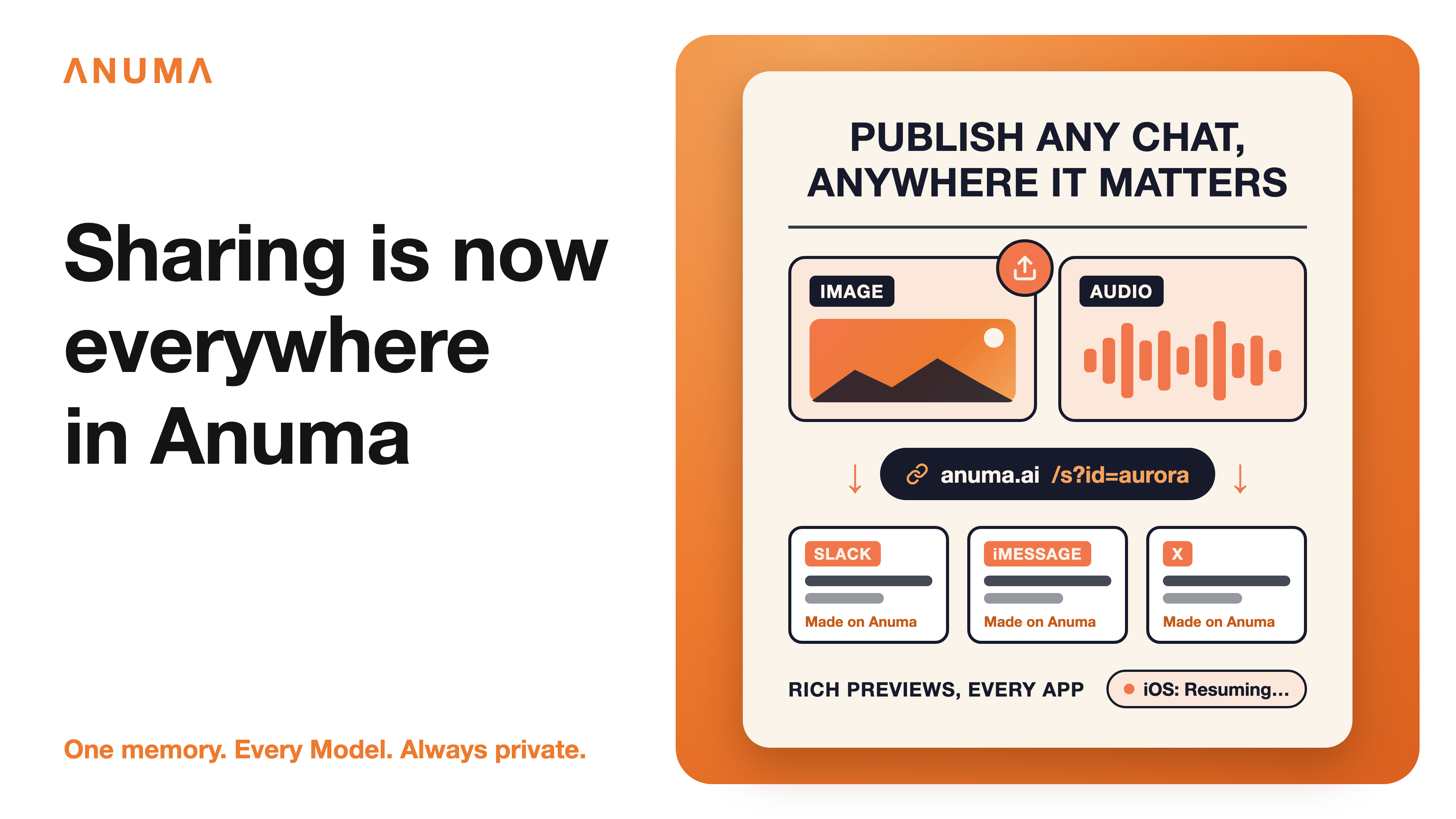
The Share button on images and audio in your chats now opens the Create-public-link dialog directly: publish, copy the link, done. The mobile app gets the same power — images, audio, and Library items can now be published straight from your phone on every plan.

Those links got an upgrade too. Paste an Anuma share link into Slack, iMessage, or X and it unfurls into a rich preview card showing the media type, a caption, and the model that made it — every share is a little billboard for what you built.

Streams that survive backgrounding

On iOS, switching apps mid-response used to kill the stream. Now generation continues server-side while Anuma is in the background — reopen the app and your response resumes right where it left off, with a "Resuming…" indicator while it catches up. Mobile also reached slide-deck parity with web this week: decks now generate from plain conversation, no special command required.

A tidier Memory Vault

How Memory Works got meaningfully smarter. Every stored memory now receives AI-generated topic labels automatically — including older and imported memories that never had them. A one-time, reversible sweep clears out junk auto-saved memories, and imports are filtered on the way in, so the vault holds signal, not fragments.

Rounding out the week: Council Mode response cards now sit at equal heights with a roomier layout for three-model councils, mobile council presets align with web on the latest models like GPT 5.6 Sol, Slack connections now request only the permissions Anuma actually uses, and a batch of fixes landed for long-conversation scrolling, backup restore, PDF rendering, and the iOS paywall.

← Back to What's new

What you can do

  • Chat
  • Create
  • Build
  • Solve

Core features

  • Unified Memory
  • Multiple AI Models
  • Council Mode
  • Private by Default

Solutions

  • Work & Career
  • Student & learning
  • Creative & Content
  • Wellness & Health
  • Finance & Legal

Company

  • About
  • Careers
  • Branding
  • Contact us
  • Affiliate

Resources

  • Help Center
  • Blog
  • FAQ
  • Prompt Library
  • How memory works
  • Open-Source LLM
  • Closed-Source LLM
Download for iOSDownload for Android
Anuma
Powered by
© 2026 Anuma, Inc. All rights reserved.|Privacy|Terms|Cookie Policy||